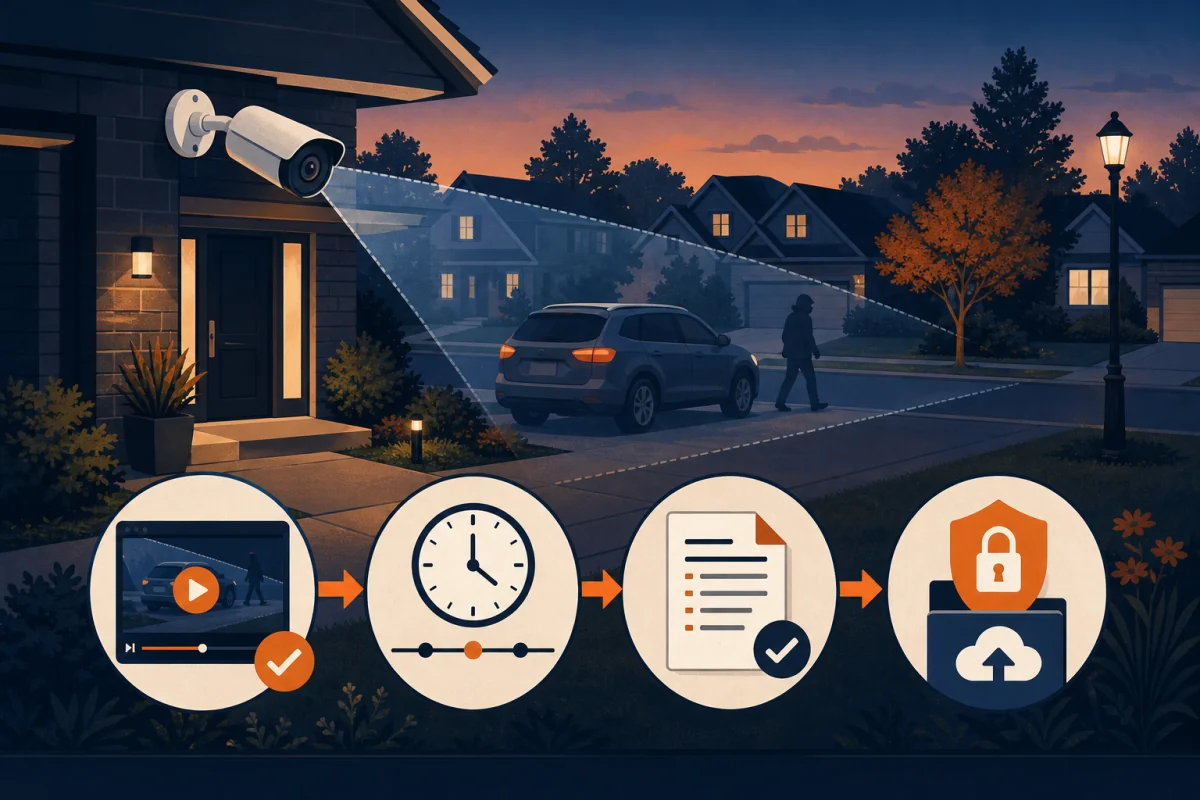
Your neighbour had their catalytic converter stolen at 2am. The footage exists. You can see a person, a vehicle, and a truck backing up, but the plate is a blurry smear. The police constable says thanks, but there's nothing actionable here. That scenario happens constantly in Durham Region, and almost every time, the root cause is the same: the camera had the pixels but the installer placed it wrong, or the camera didn't have the pixels to begin with. This post explains the difference, in plain terms, without the marketing.
Key Takeaways
- "4K" on a box means 8 megapixels, roughly 4x the pixel count of 1080p. But megapixels alone don't guarantee plate-readable footage.
- The number that actually matters is pixels per foot at your target distance. You need roughly 40 pixels per foot to read a plate reliably.
- Lens focal length and sensor size matter as much as resolution. A short focal-length lens on a 4K camera can still produce unusable plate footage at 30 feet.
- Statistics Canada reported 105,673 motor vehicle thefts in Canada in 2022, a 48% jump from 2018 (Statistics Canada, 2023).
- 1080p can be the right call for interior hallways, close-range doorbell views, and wide-angle yard coverage. 4K earns its premium specifically for driveway-to-street plate capture.
What "4K" actually means in a security camera (vs marketing 4K)
"4K" in a security camera means 3840 x 2160 pixels, for a total of roughly 8.3 megapixels. That's four times the pixel count of 1080p (1920 x 1080, or about 2 megapixels). The difference matters most when you need to resolve small details, like a license plate, in a wide frame. Consumer TV "4K" and security camera "4K" use the same pixel grid. Where they differ is in how those pixels are collected, compressed, and stored.
A security camera captures 4K at lower frame rates than your TV (typically 15-20fps on most NVR systems, vs 60fps on a screen). That's fine for evidence purposes. What matters is the raw pixel count available to zoom into post-incident. With 8.3 megapixels, you have roughly four times the digital zoom headroom compared to 1080p before the image falls apart.
The "8MP" label you'll often see on spec sheets is the same thing as "4K." Manufacturers swap between the terms interchangeably. An "8MP camera" is a 4K camera.
See 4K camera packages and pricing.
Pixels per foot, the only number that matters for plate capture
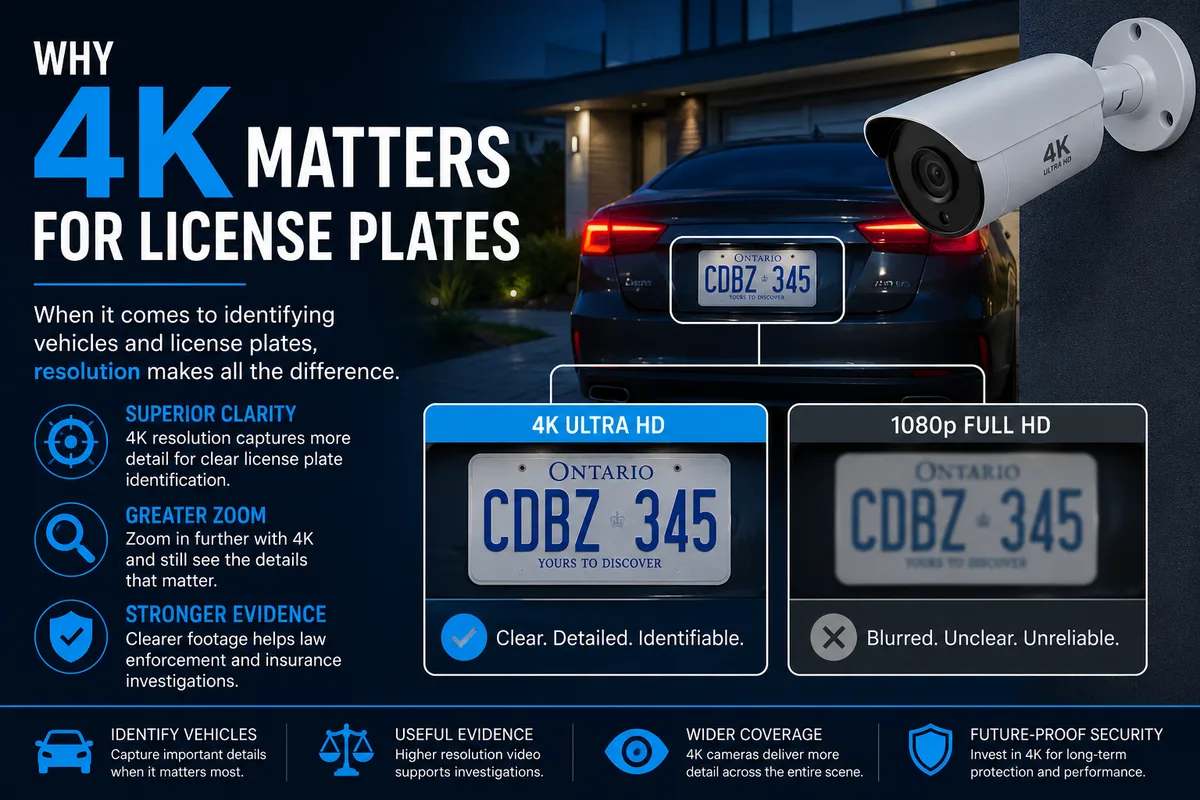
The forensics standard for license plate identification requires a minimum of 40 pixels per foot (PPF) across the target zone (Axis Communications, "Optimizing Video Surveillance," 2022). Below that threshold, characters on a plate blur together regardless of how much you zoom in. This is the number to use when evaluating any camera for a driveway or street-facing position.
Pixels per foot is calculated from three inputs: the camera's horizontal resolution, the field of view at the target distance, and the distance itself. A 1080p camera with a wide-angle lens can produce as few as 10-15 PPF at 30 feet. A 4K camera with a 6mm focal length lens can deliver 45-60 PPF at the same distance.
Here's how the math plays out at common driveway distances. These figures assume a horizontal field of view that covers a standard two-car driveway width (roughly 18 feet across) for 1080p, and the same scene width for 4K. Focal lengths of 4mm and 6mm are the two most common shipped on bullet cameras.
| Distance from camera | 1080p - 4mm lens (PPF) | 4K (8MP) - 4mm lens (PPF) | 4K (8MP) - 6mm lens (PPF) |
|---|---|---|---|
| 15 feet | ~30 PPF | ~60 PPF | ~90 PPF |
| 25 feet | ~18 PPF | ~36 PPF | ~54 PPF |
| 30 feet | ~15 PPF | ~30 PPF | ~45 PPF |
| 40 feet | ~11 PPF | ~22 PPF | ~33 PPF |
| 50 feet | ~9 PPF | ~18 PPF | ~27 PPF |
Figures are approximations based on standard sensor geometry at the stated focal lengths. Actual PPF varies with specific sensor size and lens optical quality. For camera-to-scene geometry, see Bosch Security Systems Lens Calculator.
The 40 PPF threshold line falls at roughly 25 feet for a 4K camera with a 6mm lens, and around 12-15 feet for a 1080p camera with a 4mm lens. That's a 10-foot difference for plate readability in the real world. On most Durham driveways, the point where a car pulls in from the road is 25-45 feet from the house. That gap matters.
Axis Communications' surveillance optimization guidelines establish 40 pixels per foot as the minimum threshold for reliable license plate identification. A 4K (8MP) camera at 30 feet with a 6mm focal length lens delivers approximately 45 PPF, above threshold. A 1080p camera in the same position delivers approximately 15 PPF, well below it. The difference is not a marketing claim; it is sensor geometry (Axis Communications, 2022).
Sensor size and lens focal length, equally important, often ignored
The lens focal length and physical sensor size determine how much of the scene a camera "sees" and how tightly it's zoomed in. A 4K camera with a wide 2.8mm lens will still produce blurry plate footage at distance, because it's spreading 8 million pixels across too wide a field. Sensor size affects how much light each pixel captures, which in turn determines whether that pixel contains useful information or noise.
Most budget cameras ship with a 1/3-inch image sensor. Professional cameras use 1/2.7-inch or 1/2-inch sensors. The practical difference shows up at night: a larger sensor collects more photons per pixel, which means less noise in low-light footage. Sony's IMX series sensors (used in higher-end camera modules, referenced here as an industry benchmark) demonstrate that sensor pitch, the physical size of each pixel in micrometers, is as predictive of image quality as megapixel count (Sony Semiconductor Solutions, Image Sensor Selection Guide, 2023).
What focal length to choose for a driveway
For a typical driveway in Oshawa or Whitby where the plate capture zone is 20-35 feet from the soffit mount, we default to a 6mm fixed lens on a 4K sensor. It narrows the horizontal field of view to roughly 45-55 degrees, which concentrates pixels on the lane rather than spreading them across the garage, the neighbour's hedge, and the street. If the driveway is short (under 20 feet), a 4mm lens covers the scene without over-zooming.
Varifocal lens cameras (2.8-12mm motorized zoom) give an installer flexibility to dial in the exact angle on-site. They cost more, but for tricky installations, deep setbacks, angled lots, or commercial loading docks, they're worth it.
See camera placement tips for Durham homes.
On Durham installs, the single most common mistake we fix on customer-owned systems is a wide-angle camera mounted high on a corner soffit and aimed downward at the car's roof instead of at the plate. The homeowner assumed "more angle = more coverage = better." It's a reasonable assumption. It's also why their previous system couldn't read the plate when the truck backed out.
Real-world distances, at what range each resolution reads a plate
At 15 feet, a 1080p camera with a 6mm lens delivers about 40 PPF, right at the threshold for plate readability in good daylight. At 30 feet, the same camera drops to roughly 20 PPF, which is marginal in daylight and unreliable at night. A 4K camera at 30 feet with a 6mm lens stays above 40 PPF. That's not a small difference. It's the gap between a police constable saying "usable" and "thanks, but nothing here."
Statistics Canada reported 105,673 motor vehicle thefts across Canada in 2022, a 48% increase from 2018 (Statistics Canada, "Police-reported crime statistics, 2022," 2023). Durham Region was among the hardest-hit communities in Ontario that year. Evidence-grade video, the kind Durham Regional Police Service can actually use in a prosecution, starts with readable plate footage. Their published guidance on submitting digital evidence notes that footage must be sufficient to identify key features of vehicles or individuals (DRPS, Digital Evidence Submission Guidelines).
On Durham driveways, the average distance between a front-soffit camera mount and the street-facing edge of the driveway apron typically puts the plate capture zone in the range where 1080p consistently underperforms and 4K with the right lens consistently delivers.
So here's a practical rule of thumb: if the distance from your camera to the far edge of where vehicles stop or pass is more than 20 feet, 4K is the right call. Under 20 feet, 1080p can work, but only with the correct focal length. "Works at 10 feet" is a very different spec from "works at 30 feet."
See our service towns for in-home assessments.
When 1080p is enough (and you're wasting money on 4K)
Not every camera position needs 4K. Interior hallways, stairwells, small retail counters, and close-range doorbell views (under 10 feet) don't benefit from the extra pixel density because the target is already close and large in frame. In these positions, 1080p delivers identical practical value at lower cost and lower bitrate, which means more recording time per drive.
The marketing pressure from security camera brands pushes "all 4K everywhere" because it's a clean upsell. But on a 4-camera home install, if two cameras are covering wide-angle backyard zones and one is a close-range doorbell view, dropping those three to 1080p and spending the savings on a longer focal length on the single driveway camera would actually produce better plate capture overall. Resolution where it matters beats uniform resolution everywhere.
Here are the positions where 1080p is the practical choice:
- Doorbell / front door: Target distance under 10 feet, face-recognition needs dominate. 1080p is more than enough.
- Interior coverage (retail, warehouses, hallways): Wide coverage, close range, well-lit. 1080p at 30 fps is better here because the higher frame rate (vs 4K at 15 fps) captures motion more clearly.
- Wide backyard overview: You're recording what happened, not reading plates. A wide 2.8mm 1080p camera covers more of the yard than a tight 4K equivalent.
- Detached garage interior: Same logic as interior coverage.
See full camera package options and pricing.
Bitrate, compression, and the "I have 4K but the footage looks soft" problem
A 4K camera that compresses its footage heavily, using high H.265 compression, low bitrate settings, or aggressive "smart" encoding, can produce footage that looks worse than a properly-configured 1080p camera. This is one of the most frustrating issues we see on self-installed systems from big-box stores. The box said 4K. The footage is soft, blocky, and useless at distance.
H.265 (HEVC) compression is the standard in modern NVR systems because it achieves similar quality to H.264 at roughly half the bitrate, which extends recording time. But "similar quality" depends entirely on the bitrate floor. At very low bitrate settings, which are common on budget systems to stretch drive capacity, H.265 introduces blocking artifacts, blurry edges, and smeared motion. These are exactly the things that make plate footage unreadable.
A 4K camera should run at a minimum of 6-8 Mbps to preserve the detail that justifies the resolution. At 3-4 Mbps (which many budget systems default to), you're getting 4K sensor data compressed down to effectively 2K quality or worse.
How to check if compression is killing your footage
Pull up a still frame from your NVR's playback app and zoom into the license plate area. If the characters have blocky edges or the plate background is a muddy wash of colour rather than a clean white rectangle, compression is the problem. The fix is usually in the NVR settings under "video encoding" or "bitrate control." Raise the bitrate per-channel, confirm the drive has enough capacity for the new setting, and re-test.
IEC 62676-4 (the international standard for video surveillance system requirements, published by the International Electrotechnical Commission) notes that evidence-grade video must preserve "sufficient image quality for forensic analysis," a definition that bitrate-starved footage consistently fails to meet (IEC 62676-4:2014, Video surveillance systems for use in security applications).
Bitrate floors for evidence-grade 4K surveillance footage should not fall below 6-8 Mbps per channel. IEC 62676-4 defines video surveillance requirements with forensic usability as an explicit quality benchmark. Budget NVR systems frequently default to 3-4 Mbps for 4K channels: enough to fill the drive longer, but not enough to preserve the plate detail the sensor was capable of capturing (IEC 62676-4:2014).
Frequently asked questions
Will a 4K camera work in the rain or at night?
Day and night, yes. Rain, with caveats. 4K sensors capture more light per-pixel on larger sensors, so low-light performance on a quality 4K camera beats 1080p in nearly every comparison. Rain itself doesn't degrade the image, but rain on the lens dome does. That's why camera positioning matters: overhang protection and pointing the camera slightly downward limits water accumulation on the dome. IR night vision (black and white) works at 4K resolution, though most IR systems focus pixels into the IR-lit zone rather than the full scene.
See how we set up camera angles on-site.
How many megapixels does police evidence actually require?
There's no single statutory megapixel floor in Canadian law, but DRPS and Ontario courts accept or reject video evidence based on whether key features are identifiable, not whether a specific resolution was used. The 40 PPF guideline from Axis and similar industry sources is derived from practical forensic experience, not legislation. The Government of Canada's Crime Prevention Council recommends ensuring your camera can capture "clear images of faces and vehicles" (Public Safety Canada, Crime Prevention Resources), which maps closely to the 40 PPF threshold in practice.
Does 4K use more storage?
Yes, meaningfully more. A single 4K channel at 6 Mbps uses roughly 2.7 GB per hour. A 1080p channel at 3 Mbps uses about 1.35 GB per hour. On a 4-camera 4K system with a 2TB drive, you get approximately 30-45 days of footage with motion-triggered recording (not continuous). H.265 compression roughly halves storage use vs H.264 at the same quality. Upgrading to a 4TB drive, a $149 add-on, doubles that window without touching the camera settings.
Can I mix 4K and 1080p cameras on the same NVR?
Yes. Modern NVRs support mixed resolution across channels. The NVR negotiates with each camera independently. There's no quality penalty on the 4K channels from having 1080p cameras on other channels. This is actually the smart approach for many homes: run 4K on the driveway and street-facing positions, 1080p on everything else, and reduce the bitrate load on the recorder.
Does a varifocal lens camera cost significantly more?
About 20-30% more per unit at the camera level, but the payoff is precision. A varifocal lens (typically 2.8-12mm motorized zoom) lets the installer dial in the exact pixel density for the target zone on-site, rather than guessing from a spec sheet. For commercial loading docks, deep-setback driveways in Uxbridge or Scugog, or any install where the plate capture distance isn't a clean 25-35 feet, varifocal is the right tool. We assess on-site during the free walk-through whether fixed or varifocal makes sense for each camera position.
Book your free in-home assessment
The plate footage that solves a theft investigation isn't the result of buying the most expensive camera. It's the result of matching the right resolution, the right focal length, and the right bitrate setting to the exact distance and lighting conditions at your property. That's what an in-home assessment actually does: we measure the geometry, check the light, and tell you exactly what you need before you spend a dollar.