Ring, Nest, and Arlo have made subscription cameras feel normal. You pay a few hundred dollars for the hardware, and then you pay $10 to $25 every single month, forever, just to access your own footage. For a Durham homeowner who plans to stay in their house for ten years, that's $1,200 to $3,000 in subscription fees on top of the hardware cost. There's a different way to do it, and it's been the standard in professional security installs for decades: a wired camera system that records to a local NVR in your home, no cloud account required.
Key Takeaways
- Cloud subscriptions can add $1,200–$3,000 to a 10-year camera bill on top of hardware costs.
- A local NVR system records to a hard drive you own. No monthly fee, no internet dependency.
- A 4-camera professional install in Durham starts at $999 all-in, versus $348–$2,388 in cumulative subscription fees for DIY cloud cameras over 5 years.
- You trade away some convenience (no built-in cloud backup, manual firmware updates), but gain privacy, reliability, and permanent footage access.
- Hard drives typically need replacement every 3–5 years (WD Purple surveillance drive specs, 2025).
See how professional wired installs work.
What do you actually pay for with a cloud camera subscription?
Cloud subscription cameras charge a recurring fee to store your video footage on the company's servers. Ring's most popular plan runs $10/month (USD) per camera or $20/month for unlimited cameras (as of May 2026, published at ring.com/protect-plans). Google Nest Aware costs $8/month for one camera or $15/month for a full home (as of May 2026, published at store.google.com/ca/category/nest-aware). Arlo's Essential plan is $12.99/month (CAD) for one camera (as of May 2026, published at arlo.com/en-ca/subscription-plans).
Without a paid plan, most cloud cameras give you live view only. No recorded history. If something happens at 2 a.m. and you check at 7 a.m., the footage is gone. Unless you're paying for cloud storage.
The subscription also ties you to a single company's ecosystem. If Ring raises prices, changes the plan structure, or shuts down the service, you lose access to your footage. Consumer Reports has documented multiple cases of cloud camera companies altering or sunsetting their storage plans after hardware purchase, leaving customers with recording gaps (Consumer Reports, "The Hidden Costs of Smart Home Cameras," September 2023).
Ring's Protect Plus plan costs $20 USD/month for unlimited cameras as of May 2026 (ring.com/protect-plans). Over five years, that's $1,200 USD in subscription fees alone, on top of the $100–$300 per-camera hardware cost. Canadian homeowners paying in CAD at current exchange rates pay roughly $1,600 CAD for the same five-year access window.
What does "local NVR" actually mean?
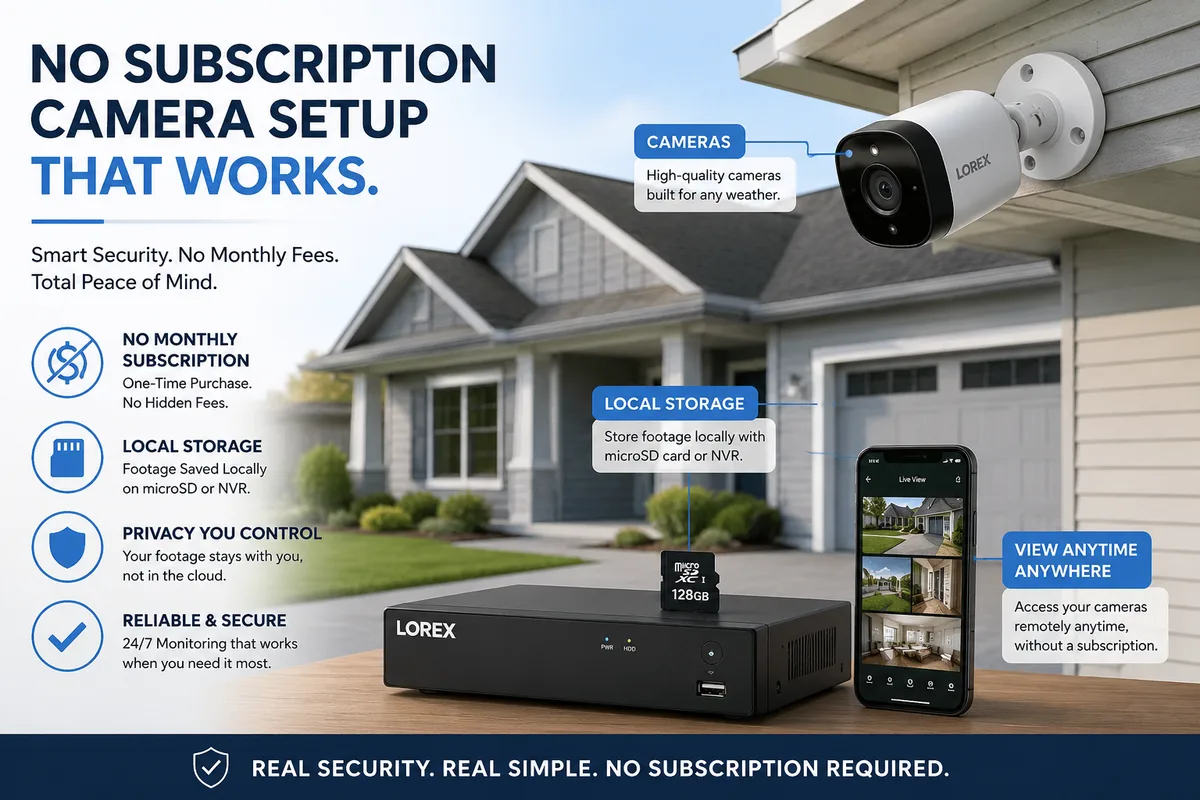
A local NVR (network video recorder) is a dedicated computer, roughly the size of a paperback book, that sits in your basement, utility room, or home office. Cameras connect to it over a wired Cat6 cable that carries both power and data (this is called PoE, or Power over Ethernet). The NVR records footage directly to a hard drive inside itself, 24 hours a day, without touching the internet.
You can still watch live footage or review clips remotely on your phone. The NVR's app connects over your home's internet connection when you're away. But the footage itself never leaves your property. The camera doesn't need internet access to record. It records regardless of whether your internet is up or down.
The NVR architecture is the same one hospitals, banks, and municipal buildings have used for 20 years. It just wasn't available at a reasonable price point for homeowners until the last decade. Most homeowners are surprised to learn cameras don't need the cloud to work.
The hard drive typically holds 30–60 days of continuous 4K footage, depending on drive size and how many cameras you have. When it fills up, the NVR overwrites the oldest footage first. You can protect individual clips from being overwritten, which is useful if you've captured something you want to keep.
See what's included in a professional install.
The five-year cost comparison, the math
This is the section worth reading carefully. The upfront cost of a wired NVR install is higher than a DIY cloud camera setup. The five-year total cost is almost always lower. Here's a side-by-side comparison for a 4-camera home in Durham.
| Cost item | DIY cloud cameras (Ring/Nest) | Professional NVR install (Durham Camera Co.) |
|---|---|---|
| Hardware (4 cameras + hub/NVR) | $400–$700 | Included in install price |
| Professional install labour | $0 (self-install) | Included in install price |
| Total upfront cost | $400–$700 | $999 (Basic) – $1,599 (Standard) |
| Monthly subscription | $10–$20/month (USD) | $0 |
| Year 1 subscription total | $120–$240 | $0 |
| 5-year subscription total | $600–$1,200 (USD, ~$800–$1,600 CAD) | $0 |
| Hard drive replacement (year 3–5) | $0 | ~$100–$150 (optional upgrade) |
| 5-year all-in total | $1,000–$2,300 CAD | $999–$1,599 |
The math shifts further toward NVR once you factor in a couple of things. First, subscription prices have increased over time. Ring's Protect Plus plan cost $10/month in 2020; it's now $20/month for the same coverage (The Verge, "Ring raises subscription prices," January 2023). Second, a professionally installed wired system lasts 10–15 years with routine hard drive maintenance. DIY cameras are often replaced every 3–5 years as product lines are discontinued.
Statistics Canada's Survey of Household Spending shows Canadian households spent an average of $1,847 annually on home electronics and related services in 2022 (Statistics Canada, Cat. no. 62-202-X, 2022). Security camera subscriptions are one of the fastest-growing line items in that category, and one of the easiest to eliminate.
In our experience, the tipping point for homeowners usually lands around the two-year mark. By month 24, most cloud camera users have paid more in subscriptions than their cameras cost. At that point, the question isn't "is wired cheaper?", it's "how much have I already spent that I can't get back?"
What do you give up going no-subscription, and how do you handle it?
Wired NVR systems aren't perfect. Knowing the trade-offs upfront means you're not surprised later. Here are the three real limitations and how professional installs handle each one.
No off-site backup by default. If someone breaks in and steals the NVR along with other items, the footage goes with it. Mitigation: mount the NVR in a locked cabinet, closet shelf, or secondary location away from obvious entry points. We can also configure the system to back up flagged clips to a local NAS drive or an encrypted cloud folder (optional add-on, not required).
Firmware updates are manual. Cloud cameras update automatically. NVR systems need periodic manual updates to stay patched. Mitigation: we push firmware updates during the install walkthrough and note the update cadence. Most manufacturers release updates two to four times a year; the process takes five minutes from the app.
No AI person/package detection on cheaper tiers. Cloud cameras use server-side AI to filter motion alerts. Entry-level NVR systems use basic motion zones instead. Mitigation: our Standard and Premium packages include NVRs with on-board AI detection (person, vehicle) built into the hardware, no cloud processing required.
The "cloud cameras are smarter" argument was true in 2019. It's much less true now. On-chip AI detection has become standard in professional-grade NVR hardware at the mid-range price point. The gap between cloud and local intelligence has closed considerably in the last three years, and local processing doesn't introduce the privacy questions that come with sending your footage to a third-party server for analysis.
See what AI detection looks like on our Standard package.
What do you gain, privacy, reliability, and no rate hikes?
The Privacy Commissioner of Canada's guidance on home video surveillance notes that footage stored with a third-party cloud provider is subject to that provider's data-retention policies, terms of service changes, and potential law enforcement requests without your direct involvement (Office of the Privacy Commissioner of Canada, "Video Surveillance by Private Sector Organizations," 2022). With a local NVR, your footage stays on hardware you own, in a building you own.
Reliability is the other practical gain. A wired PoE camera connected to a local NVR records 24/7 regardless of internet status. Cloud cameras require a stable internet connection to function. During a Rogers or Bell outage in Durham, the kind that takes out service for 4–8 hours, a cloud camera system may stop recording entirely. A local NVR keeps running on its own network segment without interruption.
The third gain is price stability. Your system cost is fixed the day you pay for it. There are no rate-hike emails, no plan tier changes, no annual "we're updating our subscription structure" announcements. Locally controlled recording systems have a substantially longer functional lifespan than cloud-dependent consumer hardware, which matters when you're planning a 10-year home security setup.
See our approach to privacy in Durham installs.
What does a no-subscription Durham install actually include?
Here's what a professionally installed wired NVR system includes, so you know exactly what you're getting before you ask for a quote.
Cameras: Wired PoE cameras, 5MP to 4K resolution depending on package. Cameras mount on soffits, fascia, or exterior walls. Cable runs inside walls and attic wherever possible.
NVR: The recorder box connects to your home router via a single Ethernet cable. It runs 24/7, uses roughly the same power as a modem, and makes no audible noise. Hard drive capacity: 1TB (Basic package, approx. 30 days), 2TB (Standard and Premium packages, approx. 45–60 days).
Hard drive maintenance: WD Purple surveillance drives are rated for 24/7 operation and carry a 3-year manufacturer warranty (WD Purple surveillance drive specs, 2025). Seagate SkyHawk drives carry a similar spec (Seagate SkyHawk datasheet, 2025). Plan to replace the drive at the 3–5 year mark. Cost: $100–$150, plus a 30-minute service call.
Remote access app: No subscription required. The manufacturer's app connects directly to your NVR over your home internet. Live view, motion alerts, and clip playback all work at no charge.
Surge protection: Included in every install. The NVR connects through a surge-protected power bar; a UPS (battery backup) is available as an add-on for $179 installed and keeps the system recording for 2–4 hours through a power outage.
Our warranty: 3 years parts and labour. If anything related to the install fails in that window, we come out and fix it at no charge.
We serve Courtice, Bowmanville, Whitby, Oshawa, Clarington, Pickering, Ajax, Uxbridge, Brock, and Scugog. If you're in Durham Region and want to see this setup in person, the in-home assessment is free and takes about an hour.
See full package breakdown and pricing.
Frequently asked questions
Do I need internet at all for a local NVR system to work?
No. The cameras record to the NVR over a wired connection regardless of internet status. Internet is only needed for remote viewing on your phone from outside the home. If your internet goes down, recording continues uninterrupted. (Statistics Canada, Broadband usage report 2023, notes that 4.3% of Canadian households still experience regular connectivity interruptions.)
Can I still get motion alerts without a subscription?
Yes. The NVR pushes motion alerts directly to the app over your internet connection at no charge. On Standard and Premium packages, the NVR's on-board AI filters alerts by person or vehicle, so you're not getting pinged every time a leaf blows through the frame. Basic package uses motion zones, which work well with proper camera placement.
What happens if the NVR gets stolen or damaged?
Your footage from that point is gone, but the cameras themselves are still mounted. A replacement NVR typically runs $150–$300 depending on the model, and we can re-pair all cameras to it in under an hour. To reduce the risk, we recommend mounting the NVR out of sight. A locked cabinet, a utility closet shelf, or a secondary room away from the main entry points all work. Some customers also configure a nightly clip backup to a separate hard drive.
How does a wired install hold up to a Durham winter?
Cameras and cables we install are rated for temperatures down to -40°C. The NVR sits indoors. We seal every exterior penetration with weatherproof silicone rated for Canadian climate conditions. Weather-related failures on wired installs are extremely rare.
Is this legal to install in Durham, Ontario?
Yes. Hardwired security camera systems are legal in Ontario for residential and commercial properties. The key rules: cameras should not record beyond your property line into a neighbour's private space, and audio recording requires at least one-party consent. We configure privacy zones and default to video-only on every install. For more detail, see our full FAQ.
The subscription camera model is a reasonable choice for renters, for people who move frequently, or for anyone who wants a truly hands-off setup and doesn't mind the ongoing cost. For Durham homeowners who plan to stay put for five years or more, the math almost always points the other way. A wired NVR system costs more on day one, and nothing after that. The footage is yours. The hardware is yours. The monthly bill is zero.
If you want to see the options side by side, our packages page lays out exactly what each tier includes and what it costs. And if you'd rather have someone walk through your specific property and lay out the camera placement before you decide anything, that's what the free in-home assessment is for.
Read next: Best camera placement for Durham bungalows | Doorbell or driveway camera: which one first? | Why 4K matters for licence plate capture | Small business camera systems in Durham
A wired NVR system records to hardware you own, in a home you own, with no monthly fee attached. The cloud subscription model is a recurring cost with no endpoint. The math on a ten-year Durham home ownership horizon isn't close.