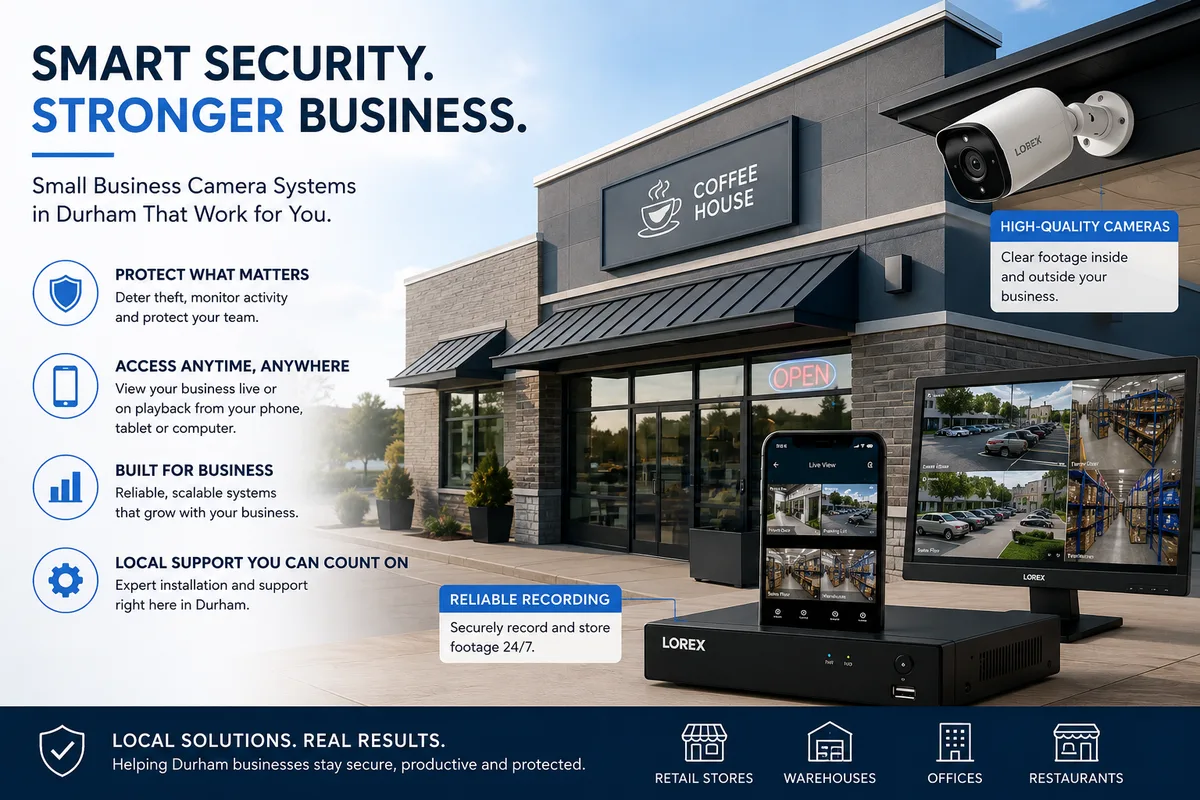
You open at 9. You close at 6. Between those hours you're watching three things at once, customers, staff, and the back door. A camera system doesn't replace you, but it does fill the gaps when you're at the counter, in the back, or off-site for the weekend. This post covers the practical setup for a typical Durham storefront: 1,200 to 1,800 square feet, one or two entrances, a stockroom, and a back office.
Key Takeaways
- Retail shrinkage costs Canadian businesses roughly 1.4% of annual sales (Retail Council of Canada, 2023)
- Eight cameras cover a 1,500 sq ft shop without blind spots when positioned correctly
- A local NVR setup costs less than cloud alternatives over five years, with no monthly fees
- Ontario privacy law requires posted signage and limited audio recording in customer-facing areas
- An 8-camera commercial system qualifies for on-site assessment and custom quote
See how a quote works.
What small business cameras really need to do
Commercial cameras earn their keep in three ways: deterring opportunistic theft, providing evidence when something does happen, and giving a remote owner peace of mind when they can't be on-site. According to the Retail Council of Canada (2023), shrinkage costs Canadian retailers approximately 1.4% of gross sales annually, with shoplifting and internal theft each accounting for a significant share. For a shop doing $600,000 a year, that's $8,400 walking out the door.
Deterrence is the first job. Studies consistently show that visible cameras reduce opportunistic shoplifting, the person who spots a camera in the corner often just walks out empty-handed. The second job is evidence: when something does happen, your footage needs to be clear enough that Durham Regional Police can act on it. That means 4K resolution, correct placement, and at least 30 days of stored footage.
See why 4K matters for licence plates.
The 8-camera layout for a typical 1,500 sq ft Durham storefront
An 8-camera layout covers every meaningful entry, exit, and high-value zone in a mid-sized shop without over-engineering it. The layout below is based on a rectangular footprint common to heritage retail strips in downtown Bowmanville and along King Street West in Oshawa. Adjust proportionally for corner units or L-shaped spaces.
Here's where each camera goes and why:
Camera 1 - Front entrance, wide angle. Mounted above the door, looking inward. Captures every person who walks in. This is your primary shoplifting deterrent and your best chance at a face shot.
Camera 2 - Front entrance, exterior. Mounted above the door, looking out toward the parking area. Captures licence plates and approach direction. Paired with Camera 1, you get entry and exit covered.
Camera 3 - Point-of-sale counter. Aimed at the till from above and behind. Essential for internal theft protection. If the register drawer is ever short, you review this camera first.
Camera 4 - Aisle view, west. Covers the left half of your retail floor from ceiling height. Wide-angle lens to minimize dead zones.
Camera 5 - Aisle view, east. Mirrors Camera 4 for the right half of the floor. Together, Cameras 4 and 5 eliminate the blind spots that come with a single overhead camera.
Camera 6 - Stockroom door. Watches who goes in and out of stock. According to the Retail Council of Canada (2023), employee theft is most common at the stock access point, not the till.
Camera 7 - Back exit / loading door. Covers the rear door from inside. Also captures the exterior landing and alley approach if the lens angle allows.
Camera 8 - Parking lot or lane. Mounted outside under the rear eave, covering the lot behind the store. Captures vehicles and any activity around your staff exit.
See our service area across Durham Region.
Where most owners forget to point a camera
The stockroom door gets most owners thinking about internal access, but the real blind spot in almost every shop we walk through is the fitting room corridor or the narrow passage beside the display shelves running parallel to the side wall. In a typical Pickering Town Centre-area unit or a heritage storefront on Simcoe Street in Oshawa, that corridor is six to eight feet wide and dead centre of the shop.
On Durham retail walk-throughs, we find the same gap consistently: the aisle that runs along the side wall, farthest from the POS counter. It's the spot a customer can slip into with a bag and spend five minutes out of every sightline. One camera at the far end of that aisle, looking back toward the counter, closes the gap cleanly.
The second most-missed spot is the back office itself. If you step away from the floor for ten minutes to take a call or check an order, and there's no camera inside the office where cash or expensive stock is stored, that's an unmonitored zone. A small wide-angle camera inside the office costs little to add and eliminates a common vulnerability.
Practical rule: stand at the point farthest from your counter and look back. If you can't clearly see yourself in a camera frame, that's your gap.
NVR vs DVR vs cloud: what each costs over five years
The recording technology you choose determines your long-term cost more than the cameras themselves. Most small Durham businesses land on one of three options: a network video recorder (NVR), a digital video recorder (DVR), or a cloud-managed system with a monthly subscription.
| Setup | Upfront | Monthly | 5-Year Total |
|---|---|---|---|
| NVR (local, hardwired PoE) | ~$2,800-$4,500 installed | $0 | ~$2,800-$4,500 |
| DVR (local, coax) | ~$2,200-$3,800 installed | $0 | ~$2,200-$3,800 |
| Cloud-managed (subscription) | ~$800-$1,500 hardware | $60-$150/mo | ~$4,400-$10,500 |
NVR is the right choice for most Durham shops. Footage stays on-site on a hard drive you own. There's no monthly fee. Remote viewing on your phone is free through the manufacturer's app, and it works over your existing internet connection. DVR is cheaper upfront but uses older coax cabling that limits resolution and makes future expansion harder.
Cloud plans start small. But at $80 per month for a mid-tier commercial plan, you're paying $4,800 over five years before hardware. That's money better spent on a better local system. The Office of the Privacy Commissioner of Canada also notes that storing footage off-site raises additional PIPEDA obligations around third-party data handling.
See no-subscription camera setup that works.
The Office of the Privacy Commissioner of Canada's PIPEDA guidance for workplace cameras (updated 2022) states that organizations storing surveillance footage with a third-party cloud provider must ensure the provider meets the same privacy obligations as the organization itself. For most small retailers, keeping footage local on a self-owned NVR is both simpler and more compliant.
Insurance and legal: what your insurer wants to see
A documented commercial camera system can reduce your property insurance premium. The Insurance Bureau of Canada confirms that commercial property policies regularly include credits for "active security measures," which typically includes hardwired camera systems with recorded footage. Ask your broker specifically about security discounts and get the question answered in writing before your next renewal.
What your insurer generally wants to see: a system with continuous recording (not motion-only), at least 30 days of stored footage, cameras covering all entry and exit points, and documentation of the install. We can provide a system spec sheet you can hand directly to your broker.
Ontario privacy law adds a layer. Under PIPEDA, you must post clear signage notifying anyone who enters that they may be recorded. The Office of the Privacy Commissioner of Canada (2022) is specific: signage must be visible at entry points before a person walks in, not tucked in a corner after the fact. Audio recording in customer-facing spaces is legally complicated and we default to video-only for retail unless you have a specific reason to discuss otherwise.
In our experience on commercial installs, the broker conversation is almost always an afterthought. Owners get the system, forget to call the insurer, and miss the discount for a full policy year. Schedule that call within 30 days of install. The spec sheet we provide is formatted for broker review.
The Workplace Safety and Insurance Board (WSIB Ontario) notes that camera systems in workplaces can also reduce liability exposure in incident disputes. If a staff member is injured or claims a workplace incident, camera footage provides an objective record. That's separate from theft protection and worth noting to your insurer.
See FAQ: commercial and legal questions.
Day-to-day: using the system without becoming a security guard
The best commercial camera system is one you barely think about. You open the app when something looks off. You pull footage when you need it. The rest of the time it runs quietly on a drive in your back office. Here's how to get there.
Set up motion alerts for the zones that matter most: the front entrance outside business hours, the stockroom door, and the back exit. Turn alerts off for busy floor areas during the day, otherwise you'll get 200 notifications by noon and start ignoring all of them. The Canadian Centre for Occupational Health and Safety (CCOHS) recommends that workplace camera use policies be documented and shared with staff, which also serves as a practical way to explain what the system does and doesn't monitor.
Remote viewing is where the daily value shows up. You're at your supplier in Oshawa at 2 pm. You open the app and glance at the POS counter and the front door. Everything looks normal. You close the app and get back to your meeting. That's the routine use case, and it takes ten seconds.
The owners who get the most from their systems are the ones who do a weekly 10-minute review of time-lapse footage from the previous week, not real-time monitoring. Time-lapse shows you patterns: which aisles get traffic, when your busiest period actually hits, whether staff behaviour changes when you're off-site. That kind of pattern review is something basic monitoring never gives you.
For footage export when something does happen: the app walks you through clipping and exporting a timestamped video file. Durham Regional Police accept H.265 video exports with verified timestamps, so you don't need to do anything special to the file. We walk you through the export process on install day and leave you with a one-page reference card.
Frequently asked questions
Do I need a permit to install cameras in my Durham shop?
No permit is required for a standard commercial camera installation in Ontario. The system doesn't affect your building structure and doesn't require an electrical permit if the cameras run on PoE (power over ethernet) through the NVR. You do need to post PIPEDA-compliant signage notifying customers they may be recorded, per the Office of the Privacy Commissioner of Canada (2022). Your landlord may have additional requirements if you're a tenant, check your lease before drilling.
See how the install process works.
How much does an 8-camera commercial install cost in Durham?
Commercial jobs are quoted on-site because every space is different. Ceiling height, network setup, access points, and cabling runs all affect the price. Our residential 4-camera packages start at $999 and 6-camera systems at $1,499, which gives you a rough baseline for camera and recorder costs. An 8-camera commercial system will be more, and we'll give you a firm number after a free walkthrough. See our packages page for residential tiers and what's included. Book your free in-home assessment to get a commercial quote.
Will footage hold up if I need to give it to Durham Regional Police?
Yes. Our NVRs export H.265 video with verified timestamps, which Durham Regional Police accept routinely. The export process takes about three minutes from the app. We walk you through it on install day and leave a reference card. If you need to pull footage and can't remember the steps, text us and we'll walk you through it in real time.
What's the right storage size for a commercial system?
For an 8-camera system recording continuously at 4K, a 4TB drive gives you roughly 14-21 days of footage depending on your motion settings and compression. A 6TB or 8TB drive extends that to 30-45 days, which is what most insurers ask for. We recommend the storage upgrade for commercial installs. It's a small cost upfront and avoids the situation where you need footage from 22 days ago and it's already overwritten.
Can I add access control to the same system?
Yes. A keypad or fob entry on one door integrates cleanly alongside a camera system. We install keypad/fob access control as an add-on to commercial jobs, priced on-site based on your door type and cabling situation. Multi-door systems are quoted separately. If access control is a priority, mention it when you book the walkthrough and we'll plan both together.
See doorbell or driveway camera.
A good camera system for a small shop isn't complicated. Eight cameras, a local recorder in the back office, and 30 days of footage on a drive you own. Set it up once, learn the app in 20 minutes, and get back to running your business. We've done this across Durham, Oshawa, Whitby, Pickering, Bowmanville, and the smaller towns too. When you're ready, we'll come walk your space for free.